Local model chat
Use supported downloaded models for private Android conversations and assistant-style tasks.
Q17 Private AI is designed for Android users who want supported local AI workflows, downloadable models, and optional web support under their control.
Q17 Private AI is available on Google Play. These pages describe current product direction, real proof screenshots, and safety limits without claiming ratings, downloads, or universal device support.
Each capability depends on the selected model, installed packs, Android device, storage, RAM, backend support, and app version.
Use supported downloaded models for private Android conversations and assistant-style tasks.
Q17 is built around local app storage, downloaded resources, projects, agents, and model management.
Use voice, image understanding, camera captures, PDFs, XML, and other supported attachments where available.
CPU-safe fallback and backend awareness help the app adapt across different Android device classes.
The screenshots below reuse existing Q17 proof assets and are included as selected validation examples, not universal performance guarantees.
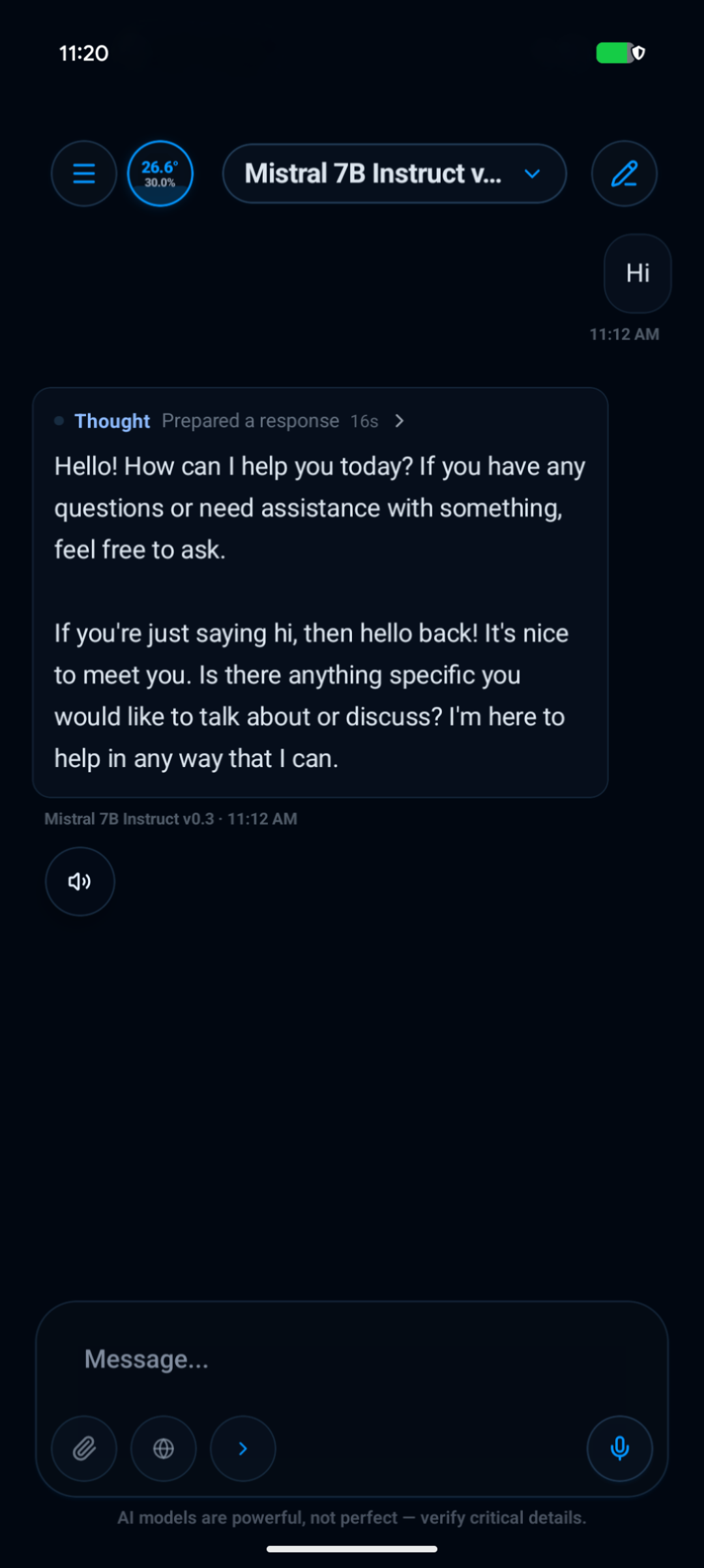
A downloaded model running inside the Q17 Private AI Android workspace.
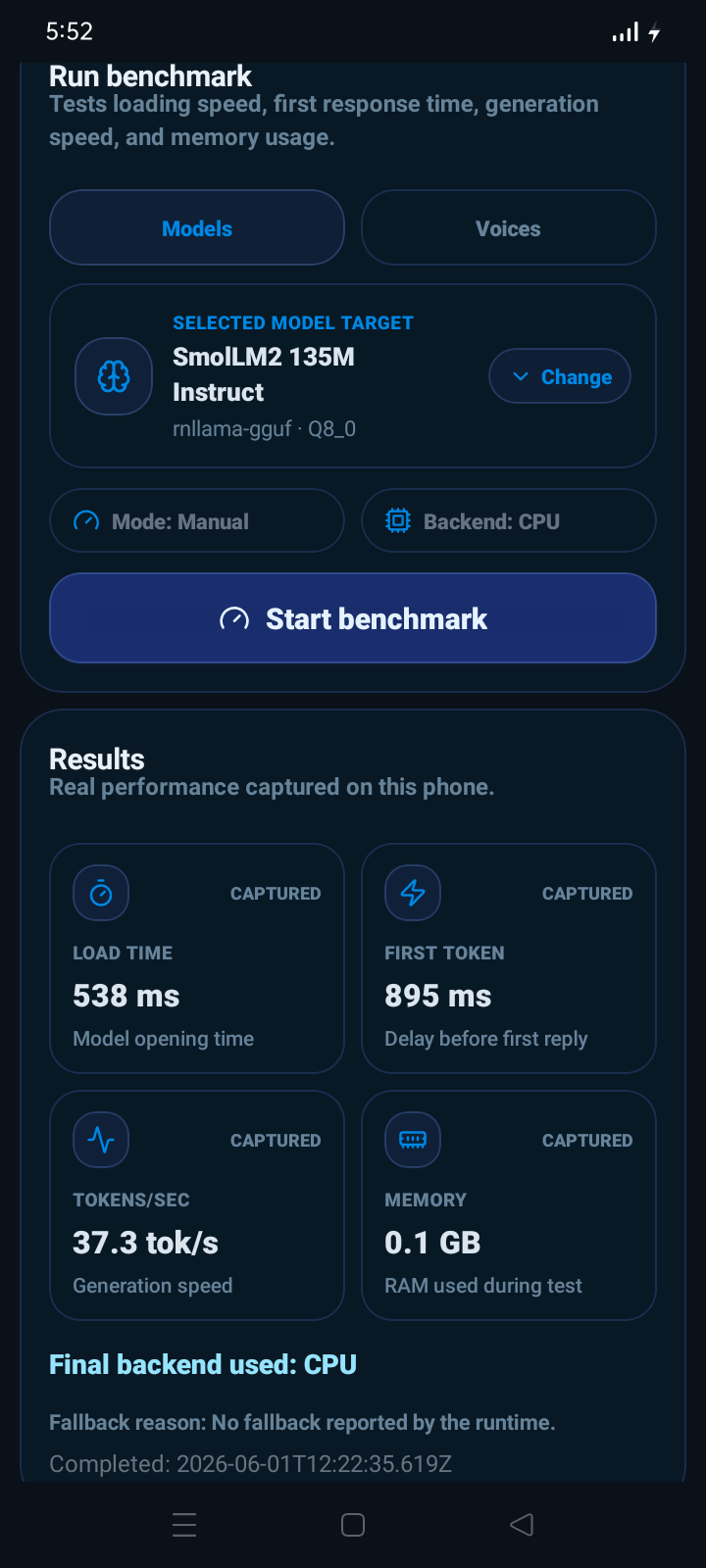
Selected proof that local inference can run on low-end Android hardware with smaller models.
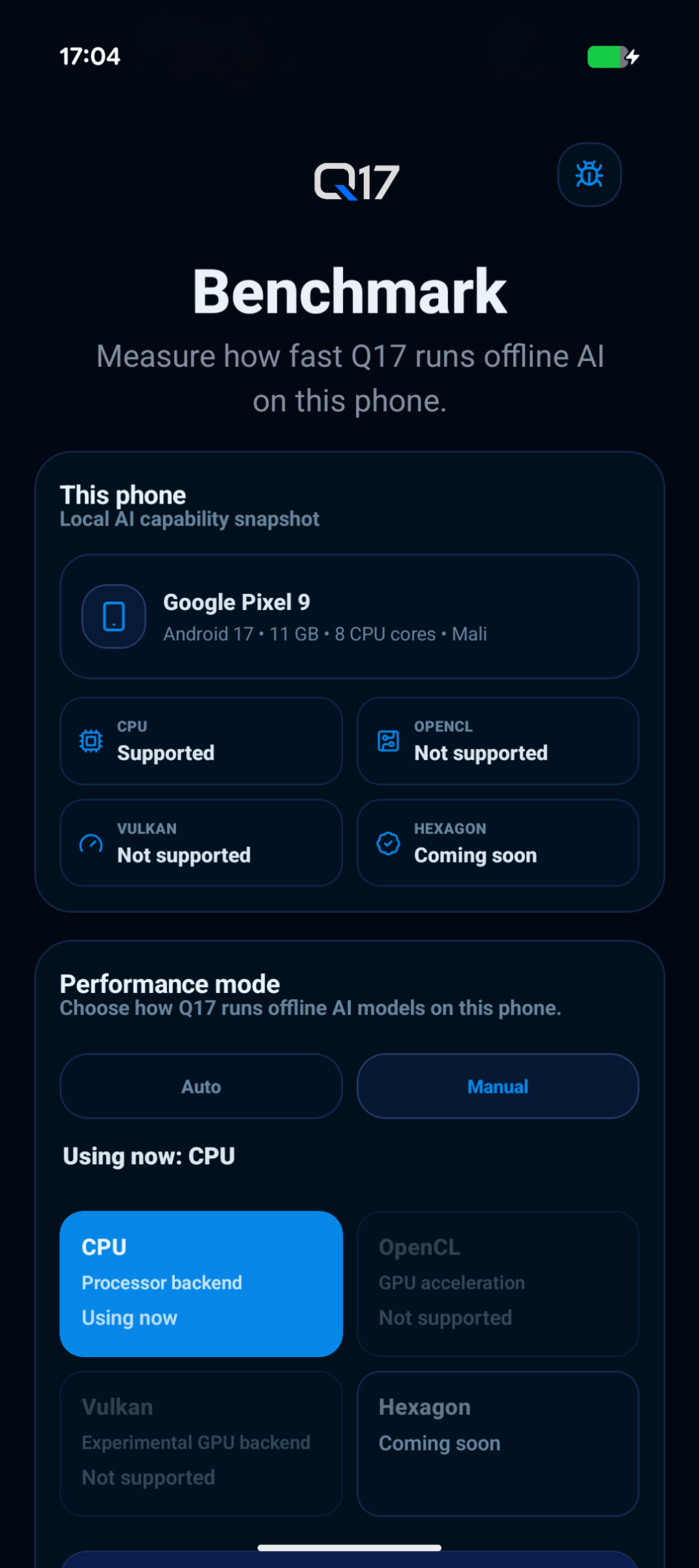
Capability screens help users understand selected runtime paths and fallback behavior.
Q17 routes text, voice, images, files, and image prompts toward the right local or optional online path where supported.
Install supported models, voices, or image packs when network access is available.
Run supported workflows from local app storage and downloaded resources.
Send text, voice, images, camera captures, PDFs, XML, or supported files.
Check AI outputs and device behavior because local models and backends can vary.
Open the official Q17 Private AI Play Store listing to install the Android app.