Text-to-image
Create images from prompts inside Q17 Image Studio after installing a supported local pack.
Q17 Image Studio supports on-device AI image generation workflows inside Q17 Private AI with supported local packs and explicit presets.
Q17 Private AI is available on Google Play. These pages describe current product direction, real proof screenshots, and safety limits without claiming ratings, downloads, or universal device support.
Each capability depends on the selected model, installed packs, Android device, storage, RAM, backend support, and app version.
Create images from prompts inside Q17 Image Studio after installing a supported local pack.
Use supported Image Studio packs such as Realistic Vision, DreamShaper 8, and Counterfeit V2.5.
Q17 keeps LCM and experimental DPM preset behavior visible instead of hiding runtime differences.
Image generation screenshots are shown across selected budget, older, mid-range, and Pixel devices.
The screenshots below reuse existing Q17 proof assets and are included as selected validation examples, not universal performance guarantees.
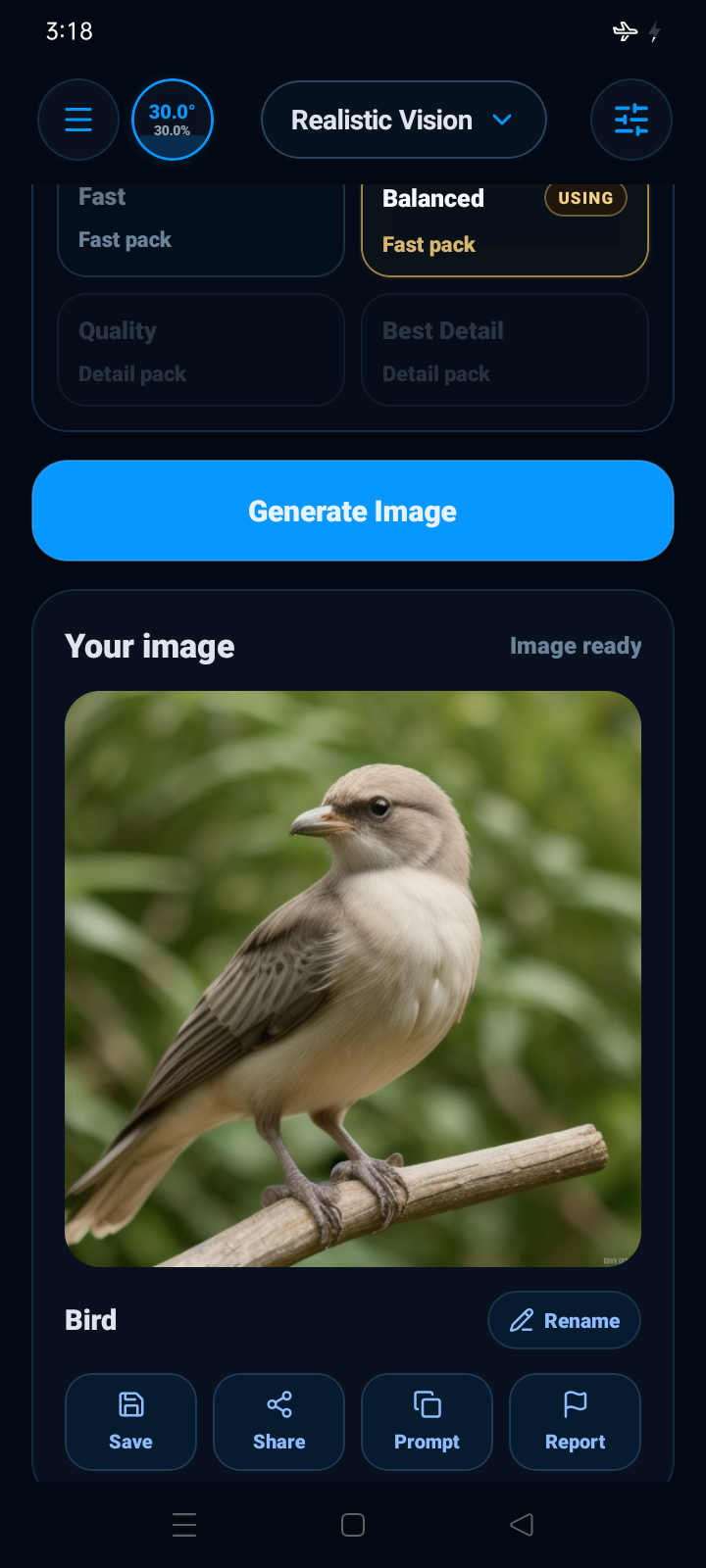
Selected image-generation proof on low-end Android hardware.
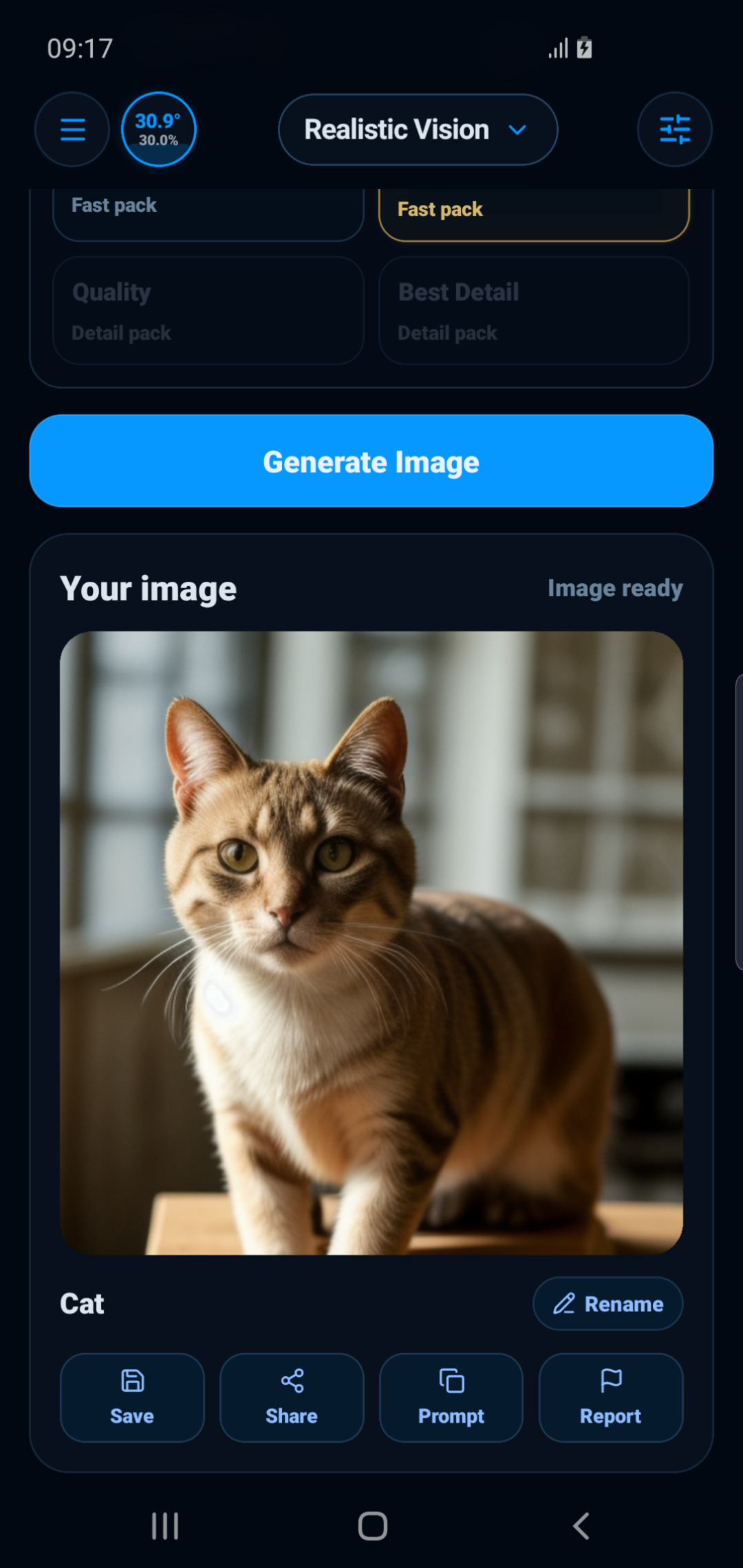
Image-generation workflow proof captured on older Android hardware.
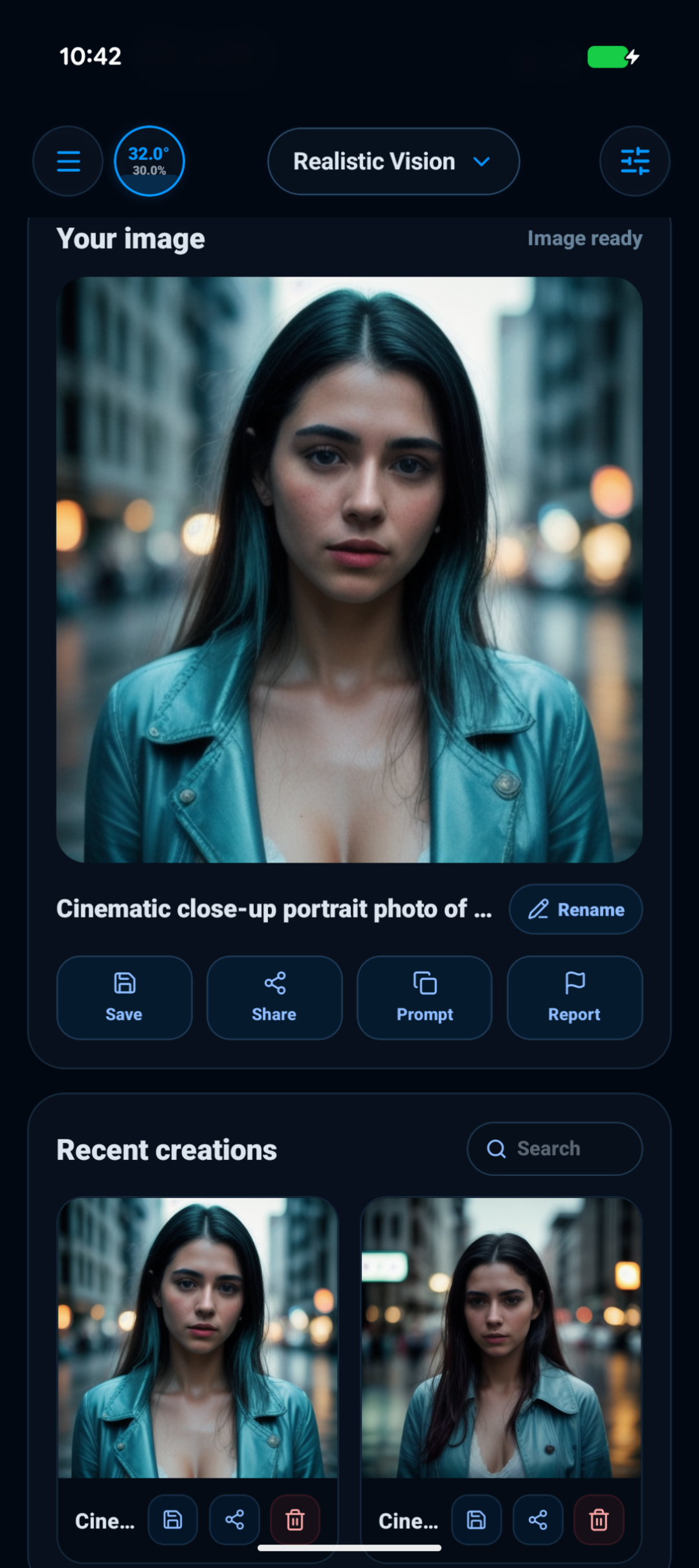
A local image result generated through Q17 Image Studio on Pixel hardware.
Q17 routes text, voice, images, files, and image prompts toward the right local or optional online path where supported.
Download and install a supported Q17 Image Studio local image pack.
Select Fast, Balanced, Quality, or Detailed with visible runtime expectations.
Run text-to-image generation on the Android device where supported.
Generated images can fail, vary by device, or not match the prompt and should be reviewed.
Open the official Q17 Private AI Play Store listing to install the Android app.